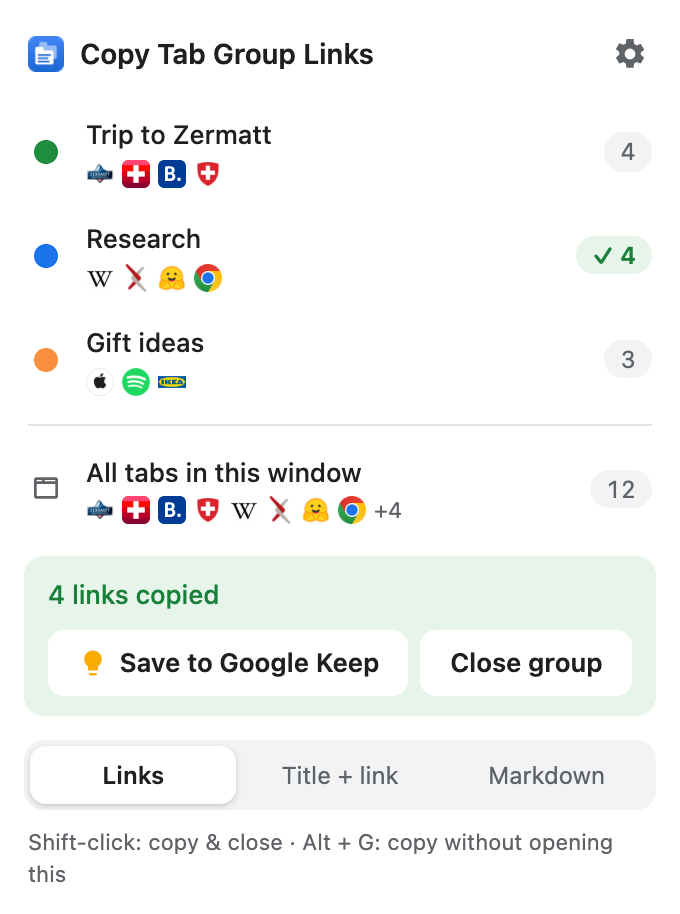
Click the icon. Pick a group. Done.
Copy every link of a tab group.
Paste it anywhere. Close the group.
One click to install, then pin the icon. No account, no setup.
Click the icon and choose a tab group – or press Alt+G for the one you are in.
Paste the links into an AI chat, your notes or a to-do list. Then close the group with one click.
All your groups in one list – the one you are in is already selected. Empty tabs and duplicates are left out.
Copies the current group without opening anything. The icon shows how many links were copied.
One more click puts the links into a new note named after the group – and closes the group if you like.
Plain links for to-do lists, titles + links for AI chats, Markdown for Notion, Obsidian or GitHub.
No analytics, no accounts, no servers. Your links only go where you paste them.
30 languages · light & dark · built by m07.